
logologo
search_icon
search_iconAll
search_iconContinue Playing
search_iconHot Games
search_iconNew Games
search_iconSimulation
search_iconAdventure
search_iconAction
search_iconStrategy
search_iconCasual
search_iconRacing
search_iconPuzzle
search_iconSports
search_iconMore
AboutAbout
BusinessBusiness
PrivacyPrivacy
TermsTerms

© 2026 minigame.com

mascot

Join The Minis With Friends

search_icon
search_icon
search_icon
search_icon
search_icon
search_icon
search_icon
search_icon
search_icon
search_icon
search_icon
search_icon
more_icon
AboutBusinessPrivacyTerms
logo
Ludo Master

Ludo Master

Recommended

My Garden Flower Match
Fruit Sort Master
Tetris Puzzle
Buy To Buy
Graffiti Squares
Ball Hits Cup
Tetris:Drop Version
Flying Knife Juice
Draw Lines
Brain Puzzle
Magic Match
Super Brain
Master Of Hunting
Synthetic Milk Tea
Bubble Shooter Pro
Bridge Warrior
Ludo Master

Ludo Master

5puzzlePuzzle
Play Now
2
Like
Dislike
Add to favorites
Feedback
Ludo Master
Find Master 3D

Find Master 3D

Find Master 3D
Find Master 3D690.0K
Pop Monster

Pop Monster

Pop Monster
Pop Monster577.2K
Merge Master

Merge Master

Merge Master
Merge Master201.2K
Brain Puzzle Save Princess

Brain Puzzle Save Princess

Brain Puzzle Save Princess
Brain Puzzle Save Princess505.3K
Dont Be Late

Dont Be Late

Dont Be Late
Dont Be Late235.2K
Happy Caty Glass 

Happy Caty Glass 

Happy Caty Glass 
Happy Caty Glass 409.1K
Save The Doge

Save The Doge

Save The Doge
Save The Doge770.0K
Thief Puzzle:Stick Hero Rescue

Thief Puzzle:Stick Hero Rescue

Thief Puzzle:Stick Hero Rescue
Thief Puzzle:Stick Hero Rescue546.6K
Happy Match Together

Happy Match Together

Happy Match Together
Happy Match Together215.0K
Ludo King

Ludo King

Ludo King
Ludo King704.3K
AboutBusinessPrivacy
logo

© 2026 minigame.com

Games>
Puzzle>
Ludo Master

Ludo Master

Rating
5
Orientation
Portrait
Release Date
2024-07-08
PuzzleBoard

What is Ludo Master

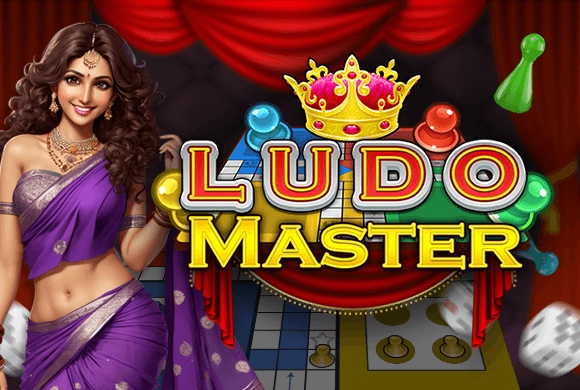
"Ludo Master" is a fantastic digital adaptation of the universally loved classic board game, Ludo (also known as Pachisi). This game brings the timeless fun of rolling dice and moving tokens right to your mobile device. With a vibrant interface and smooth gameplay, "Ludo Master" offers multiple ways to play. You can challenge intelligent computer opponents offline, pass the phone around for a fun Local Multiplayer session with friends, or dive into Online Multiplayer to compete against Ludo fans from all over the world. The game features daily rewards, a comprehensive achievement system, and even different game modes like "Classic" and "Quick Mode" to suit your play style. Collect coins, unlock new profile trims, and use strategic moves to send your opponents' tokens back to base. It’s the perfect casual game for family game nights or killing time on the go!

Key Game Features

Multiple Modes: Choose from VS Computer, Local Multiplayer, Online Multiplayer, and Play with Friends. Quick & Classic Games: Play the full traditional game or a fast-paced "Quick Mode" for shorter sessions. Daily Rewards: Log in every day to collect free coins to enter higher-stakes matches. Global Matchmaking: Compete against random players online and climb the ranks. Customizable Settings: Adjust sound, music, and language preferences to your liking.

How to Play & Master

Getting started with "Ludo Master" is easy, even if you are new to the game: Step 1: Choose a Mode. On the main screen, select your preferred way to play (e.g., Online Multiplayer). Step 2: Select Game Type. Choose between "Classic Mode" (standard rules) or "Quick Mode" (faster gameplay with specific winning conditions). Step 3: Pick Your Color. Select your preferred token color (Blue, Red, Green, or Yellow) and the number of players (2P or 4P). Pay the coin entry fee to start. Step 4: Roll the Dice. When it's your turn, tap the dice icon at the bottom of the screen. You usually need to roll a '6' to move a token out of your base and onto the starting square. Step 5: Move Tokens. Tap the token you want to move. It will advance the number of squares shown on the dice. Step 6: Win the Game. Your goal is to move all your tokens around the board and into the center "home" area before your opponents. If you land on a square occupied by an opponent's token, you send them back to the start!

Game Controls

Tap: Simply tap the dice to roll, and tap your colored tokens on the board to move them the required number of spaces.

Frequently Asked Questions (FAQ)

Q: What is "Quick Mode"? A: In Quick Mode, the game is faster. You usually only need to get one token to the home area to win, but you must first "kill" an opponent's token to be allowed to enter the home path. Q: How do I get more coins? A: You can earn coins by winning matches, collecting your daily login bonus, or achieving specific milestones in the game. Q: Can I play with my friends who are far away? A: Yes! Use the "Play with Friends" option to create a private room and invite your friends to join using a special code.