Finger Music
Rating
5
Orientation
Portrait
Release Date
2023-09-13
What is Finger Music
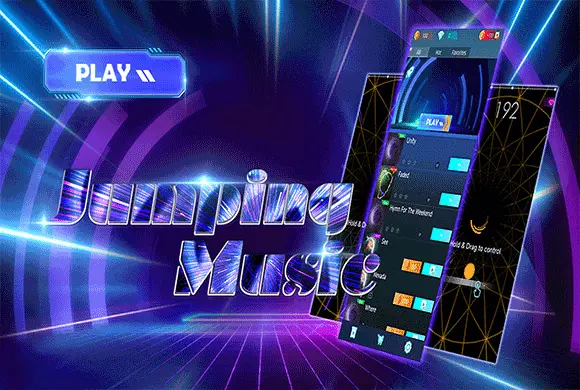
Finger Music is an exhilarating 3D rhythm game that combines high-energy soundtracks with a sleek, futuristic aesthetic. Set in a hypnotic neon wireframe tunnel, players take control of a glowing energy orb, swiping through the void to strike colorful arc-shaped notes in perfect sync with the beat. The game boasts an impressive library of globally recognized hits across various genres, including EDM, Pop, and Rock classics like "Unity" and "Faded." Every level is a dynamic visual spectacle where the environment reacts to the music's intensity, creating a deeply immersive sensory experience. With multiple difficulty settings ranging from "Easy" to "Hard," Finger Music caters to both casual listeners and hardcore rhythm veterans. Collect coins and diamonds to expand your playlist and customize your experience. It is the perfect fusion of auditory pleasure and fast-paced arcade action for music lovers everywhere.
Key Game Features
Vast Hit Song Library: Play along to high-quality audio tracks of world-famous EDM and Pop hits.
Futuristic 3D Visuals: Race through a stunning neon tunnel that pulses and changes color with the music.
Scalable Difficulty: Choose between Easy, Normal, and Hard modes to perfectly match your skill level.
Satisfying Haptic Feedback: Experience smooth animations and vibrant particle effects for every successful note hit.
Unlockable Content: Earn currency through gameplay to unlock premium tracks and build your favorite playlist.
How to Play & Master
To begin your musical journey in Finger Music, browse the song list in the main lobby and select a track that suits your mood. Once the level starts, a yellow glowing orb will appear at the bottom of a 3D tunnel, and colorful arc notes will fly toward you from the center. Your objective is to guide the orb to hit these notes exactly as they cross the baseline. Hold your finger on the screen and drag it left or right to move the orb. Precision is rewarded with higher scores—aim for the center of the arc! For long notes, maintain your position to track the trail. Missing notes will deplete your life bar, so stay focused on the rhythm. You can collect stars based on your accuracy, which helps you level up and earn rewards. If you fail, you can use a revive or watch an ad to continue your streak!
Game Controls
Hold & Drag: Press and slide your finger left or right on the screen to control the orb's movement.
Frequently Asked Questions (FAQ)
Q: How do I unlock more songs?
A: Use coins earned from playing levels or watch rewarded videos to unlock premium tracks.
Q: What do diamonds do?
A: Diamonds can be used to purchase exclusive song packs and special in-game bonuses.
Q: Why is my game lagging?
A: Ensure you have a stable internet connection for the initial song loading, and try closing background apps.










 797.7K