logologo
search_icon
search_iconAll
search_iconContinue Playing
search_iconHot Games
search_iconNew Games
search_iconSimulation
search_iconAdventure
search_iconAction
search_iconStrategy
search_iconCasual
search_iconRacing
search_iconPuzzle
search_iconSports
search_iconMore
AboutAbout
BusinessBusiness
PrivacyPrivacy
TermsTerms

© 2026 minigame.com

mascot

Join The Minis With Friends

search_icon
search_icon
search_icon
search_icon
search_icon
search_icon
search_icon
search_icon
search_icon
search_icon
search_icon
search_icon
more_icon
AboutBusinessPrivacyTerms
logo
Anime Avatar Maker

Anime Avatar Maker

Recommended
Uncle Hit: Punch the Dummy
Ant Flow Colony
Gem Sort
Escape Amaze
Jelly Blast
Cat Sudoku
Minis Orbit Express
Moo Meadow
Destroy Galaxy
Pregnant Twins Newborn Care
Litter Painter Dress Up Story
Bird Sort Puzzle
Goods Triple Match
Pixel Color
Color Border
Egg Shooter Dinosaur
Anime Avatar Maker

Anime Avatar Maker

5casualCasual
Play Now
2
Like
Dislike
Add to favorites
Feedback
Anime Avatar Maker
Challenge The Zombies

Challenge The Zombies

Challenge The Zombies
Challenge The Zombies328.1K
Brilliant Beads

Brilliant Beads

Brilliant Beads
Brilliant Beads439.3K
Gear Cord

Gear Cord

Gear Cord
Gear Cord636.7K
Pixel Art Stealer

Pixel Art Stealer

Pixel Art Stealer
Pixel Art Stealer409.1K
Sand Sift

Sand Sift

Sand Sift
Sand Sift482.1K
Bottle Flip

Bottle Flip

Bottle Flip
Bottle Flip457.5K
Yoga Master

Yoga Master

Yoga Master
Yoga Master830.1K
Fashion Nail Art Salon Game

Fashion Nail Art Salon Game

Fashion Nail Art Salon Game
Fashion Nail Art Salon Game861.7K
Happy Match

Happy Match

Happy Match
Happy Match279.4K
Bottle Flip 2D Game

Bottle Flip 2D Game

Bottle Flip 2D Game
Bottle Flip 2D Game685.4K
AboutBusinessPrivacy
logo

© 2026 minigame.com

Games>
Casual>
Anime Avatar Maker

Anime Avatar Maker

Rating
5
Orientation
Portrait
Release Date
2025-04-02
Casual

What is Anime Avatar Maker

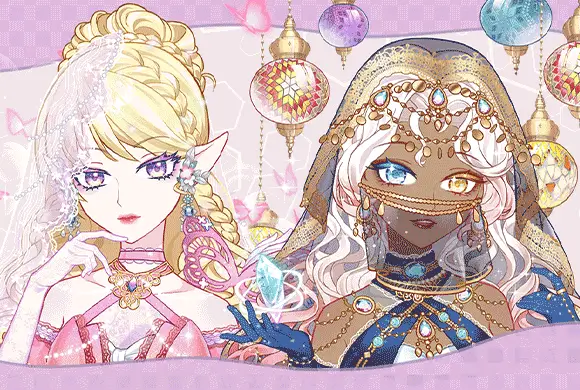
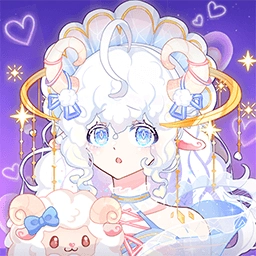
Anime Avatar Maker is the ultimate creative sanctuary for fans of anime and fashion. In this highly customizable 2D simulation game, you have the power to bring your dream characters to life. The game offers a comprehensive suite of design tools, allowing you to tweak every detail—from eye shape and pupil color to intricate hairstyles and expressions. Beyond facial features, dive into a massive digital wardrobe filled with everything from elegant princess gowns and trendy school uniforms to modern streetwear. Add a touch of magic with accessories like shimmering wings, stylish hats, and sparkling jewelry. The game also features a daily sign-in system and blind boxes to unlock exclusive items. Once your masterpiece is complete, choose a beautiful background, take a high-quality photo, and save it as your personal avatar. Whether you’re a budding artist or just love dress-up fun, Anime Avatar Maker provides endless hours of creative exploration.

Key Game Features

Infinite Customization: Tweak facial features, hairstyles, and skin tones to create truly unique anime personas. Massive Fashion Library: Choose from thousands of clothing items, including dresses, school uniforms, and casual wear. Daily Rewards & Blind Boxes: Unlock rare accessories and exclusive outfits through consistent sign-ins and fun blind box openings. Stunning Art & Backgrounds: Enjoy high-quality anime-style visuals and a variety of scenic backdrops for your character.

How to Play & Master

Start by selecting an empty character slot on the main menu. First, customize the facial features by selecting tabs for eyes, eyebrows, nose, and mouth. You can choose from various colors and styles for each. Next, move on to the hair section to pick bangs and back hairstyles. After the base is ready, open the clothing menu to browse through tops, skirts, socks, and shoes. Tap on any item to see it applied to your character instantly. Many special items can be unlocked by watching a short video. Once satisfied, click the background tab to select a setting. Finally, tap the camera icon to take a photo of your avatar. Your design will be ranked, and you can save it directly to your device!

Game Controls

Tap: Select items, categories, and navigate menus. Scroll: Browse through long lists of accessories and clothes.

Frequently Asked Questions (FAQ)

Q: How do I unlock items with a movie icon? A: These are premium items that can be unlocked by watching a short rewarded advertisement. Q: Can I edit a character after saving it? A: Yes, simply select the saved character in the "Choose image" screen and click the "Edit" button to make changes. Q: Where are my photos saved? A: Photos are typically saved to the in-game gallery, and you can also choose to save them to your mobile device's local photo album.